
Create a Tier Table
A Tier Table is a spreadsheet-style grid that controls the logic for how Members progress to higher Tiers.
Each row in the Tier Table corresponds to a Tier. These Tiers are defined on the Definition tab (see Define the Tiers in a Tier Scheme)
Each column in the Tier Table corresponds to a condition or threshold required for a Member to achieve that Tier. This condition is referred to as a Basic Tier Rule. A Member must satisfy all conditions across all columns to achieve a given Tier. That is, multiple columns are joined with an AND logical operator.
A single Tier Scheme can have one or more Tier Tables defined within it. Each Tier Table defined within a Tier Scheme is governed by its own Effectivity Period and Status, which controls when that Tier Table is considered live and actively in use.
To create a Tier Table:
-
Select Rules from the top navigation bar, then select Tier Schemes from the side navigation menu. The Tier Schemes screen is displayed.
-
Search for and select the desired Tier Scheme (see
-
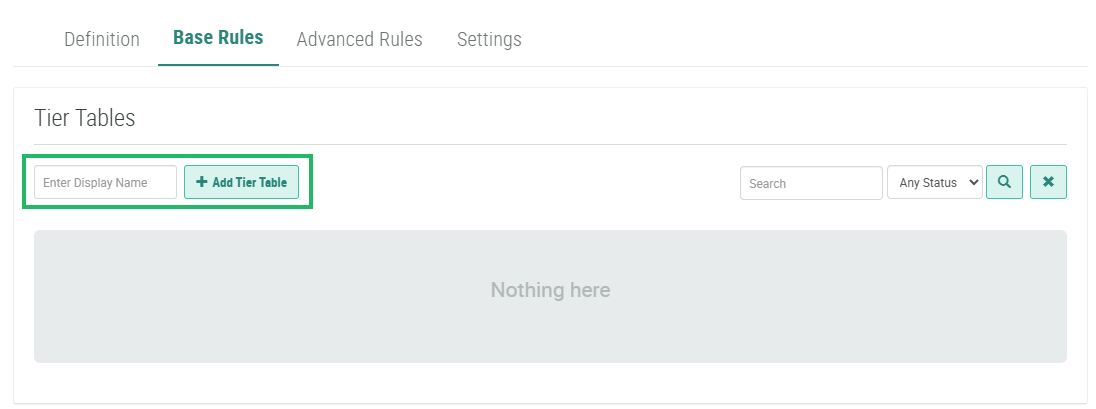
Select the Base Rules tab.
-
In the Display Name field in the Tier Tables section, enter the name of the new Tier Table.
-
Click Add Tier Table. The Tier Table is added to the Base Rules tab.
By default, a new Tier Table includes rows for all the Tiers defined on the Definition tab, with no condition columns. See Create a Basic Tier Rule for details on how to define the columns in the Tier Table.
